Skip to content
SMART Goal Tracker product render
Notion Template

SMART Goal Tracker

Set, track, and hit goals with the SMART framework — key results, action steps, and formula-driven progress bars.

$14

one payment · duplicate into your workspace

  • Works with free Notion plan
  • Instant duplicate link
  • Full commercial use
  • 24-hour email support

Secure checkout via Stripe · Instant delivery

Template Overview

About SMART Goal Tracker

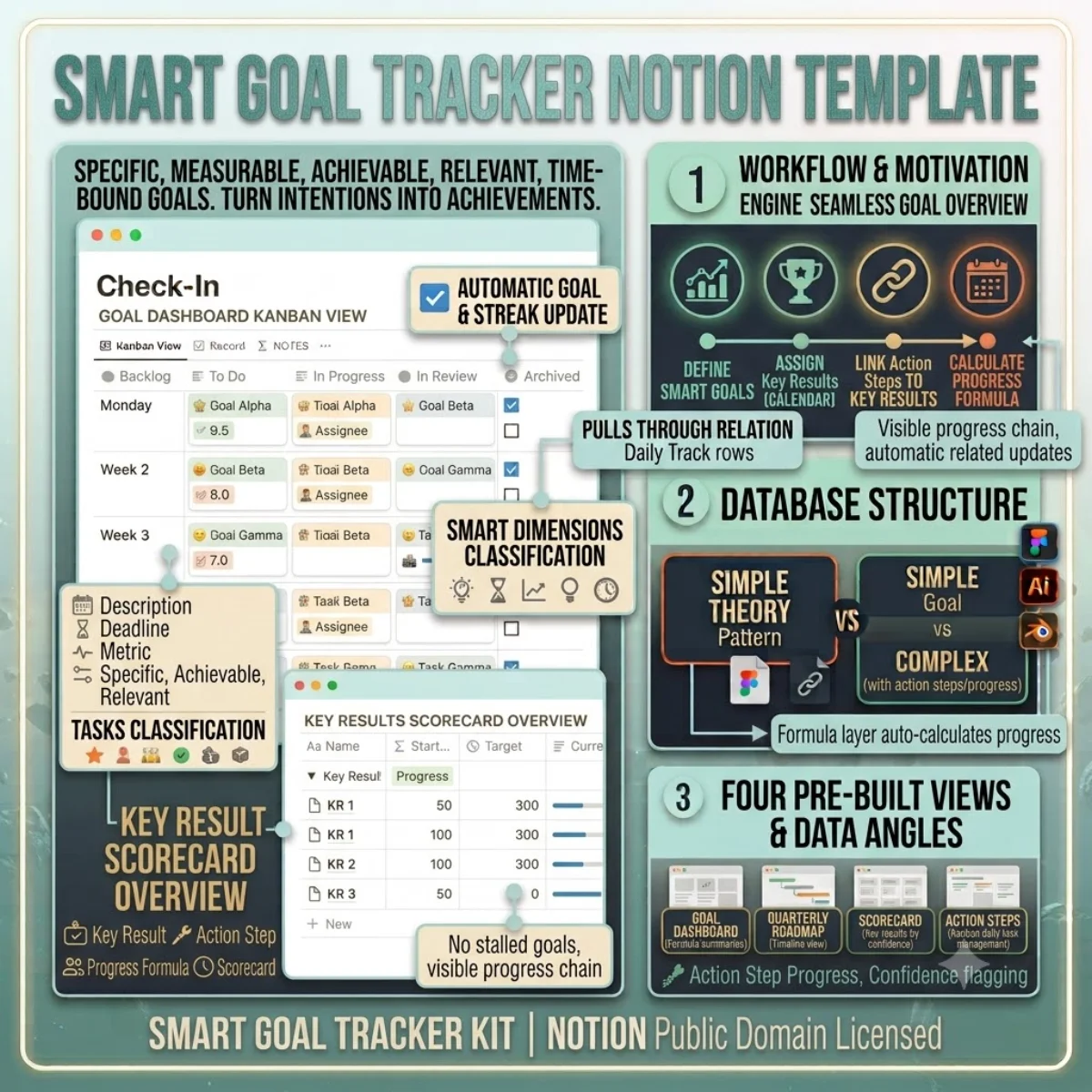
Most goal-setting templates give you a nice page to write down your goals and no structure to actually achieve them. This one is built around the SMART framework — Specific, Measurable, Achievable, Relevant, Time-bound — with four linked databases that turn your intentions into a tracking system.

The Goals database holds each goal with dedicated fields for every SMART dimension. Set your target metric, deadline, and priority. The Key Results database breaks each goal into 2-3 measurable outcomes with starting values, target values, and current progress tracked over time. The Action Steps database captures the granular tasks that move the needle.

The formula layer is where this template earns its keep. The Current Progress formula divides completed action steps by total action steps for automatic progress bars. The Key Results Progress formula tracks your movement from starting value toward target. The Confidence field lets you flag at-risk goals before they stall.

Four pre-built views give you a Goal Dashboard with progress bars, a Quarterly Roadmap in Timeline view, a Key Results Scorecard grouped by confidence, and an Action Steps Kanban board for daily task management.
Getting started

Duplicate and go.

Every template ships as a Notion share link. Click duplicate, choose your workspace, and the entire structure — databases, views, formulas, and relations — is ready to use. No setup, no configuration.

1. Click duplicate

Open the share link and hit Duplicate in the top-right corner of Notion.

2. Choose workspace

Select your personal or team workspace. The full structure copies in seconds.

3. Start using it

All databases, views, and formulas are ready. Customise anything.

License & Delivery

Instant & secure delivery

Every template is delivered instantly. After purchase, you receive a Notion share link on the download page and via email. Click the link, duplicate into your workspace, and the entire system is ready — databases, views, formulas, and relations.

You can customise, extend, and use the template in both personal and commercial projects. The structure is yours to modify. You may not resell or redistribute the template itself.

Read the license FAQ

One price, no surprises

$14

per template · lifetime access

  • Instant duplicate link
  • Full commercial use
  • Works on free Notion plan
  • 24-hour email support
SMART Goal Tracker — FAQ

Common questions.

How is the Current Progress formula calculated?
It divides completed action steps by total action steps linked to the goal. When you check an action step as Done, the goal progress updates automatically.
Can I track goals across different timeframes?
Yes. The Quarter field lets you assign goals to Q1 through Q4 or mark them as Annual. Use the Timeline view to visualise your quarterly roadmap.
What happens when a goal is completed?
Set the Status to Completed. The goal stays in the database with all its data for future reference. You can archive it or leave it visible for end-of-year review.
Can I share goals with a coach or accountability partner?
Yes. Duplicate the relevant views and use Notion's Share button to grant read-only access. Your coach sees your progress without editing access.
Duplicate once, use forever

Buy SMART Goal Tracker — one payment, lifetime access.

You own the duplicate. Customise every database, view, and formula. Use it in personal and commercial projects. Full Notion free plan compatibility included.