Skip to content
Personal Finance and Budget product render
Notion Template

Personal Finance and Budget

Track income, expenses, budgets, savings goals, and investments — formula-driven alerts and monthly reviews.

$17

one payment · duplicate into your workspace

  • Works with free Notion plan
  • Instant duplicate link
  • Full commercial use
  • 24-hour email support

Secure checkout via Stripe · Instant delivery

Template Overview

About Personal Finance and Budget

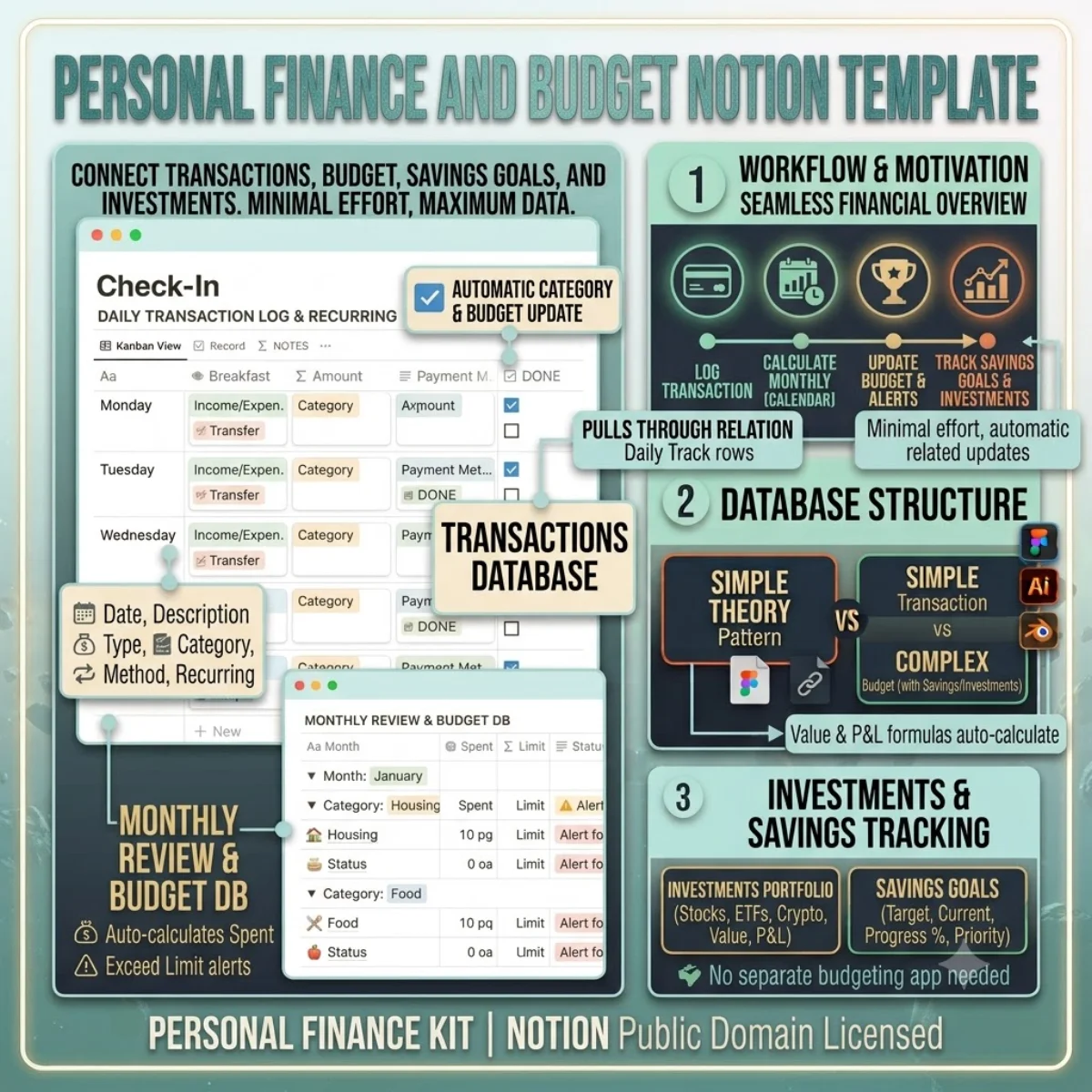
A personal finance system that actually gets used is one that takes minimal effort to maintain. This template gives you a transaction log that feeds into budget tracking, savings goals, and investment monitoring through linked databases — log one expense and every related view updates automatically.

The Transactions database captures date, description, amount, type (income/expense/transfer), category, payment method, and recurring status. The Month formula groups transactions automatically so your monthly reviews require zero manual sorting.

The Budget database uses rollups to calculate your monthly spending per category. The Alert formula flags when you are approaching or exceeding your limit — no separate budgeting app needed. The Savings Goals database tracks your target amount, current savings, and progress percentage with priority levels.

The Investments database covers stocks, ETFs, mutual funds, crypto, bonds, and REITs. Enter your shares, average cost, and current price — the Value and P&L formulas calculate your portfolio worth and gain/loss automatically.
Getting started

Duplicate and go.

Every template ships as a Notion share link. Click duplicate, choose your workspace, and the entire structure — databases, views, formulas, and relations — is ready to use. No setup, no configuration.

1. Click duplicate

Open the share link and hit Duplicate in the top-right corner of Notion.

2. Choose workspace

Select your personal or team workspace. The full structure copies in seconds.

3. Start using it

All databases, views, and formulas are ready. Customise anything.

License & Delivery

Instant & secure delivery

Every template is delivered instantly. After purchase, you receive a Notion share link on the download page and via email. Click the link, duplicate into your workspace, and the entire system is ready — databases, views, formulas, and relations.

You can customise, extend, and use the template in both personal and commercial projects. The structure is yours to modify. You may not resell or redistribute the template itself.

Read the license FAQ

One price, no surprises

$17

per template · lifetime access

  • Instant duplicate link
  • Full commercial use
  • Works on free Notion plan
  • 24-hour email support
Personal Finance and Budget — FAQ

Common questions.

Is my financial data secure in Notion?
Notion uses encryption in transit (TLS 1.3) and at rest (AES-256). Your data lives in your own workspace. We do not store or access any of your financial information.
Can I track multiple currencies?
The template is designed for single-currency tracking. To track multiple currencies, add a Currency property to the Transactions database and adjust the formula fields accordingly.
How does the Budget Alert work?
The formula compares your monthly spending against the budget limit. It returns three states: 'Over Budget' (red), 'Nearing Limit' (yellow, when within 20%), and 'On Track' (green).
Can I import bank transactions?
Notion does not support direct bank feeds. Export your transactions as CSV from your bank and use Notion's CSV import (three dots → Merge with CSV) to bulk-load them.
Duplicate once, use forever

Buy Personal Finance and Budget — one payment, lifetime access.

You own the duplicate. Customise every database, view, and formula. Use it in personal and commercial projects. Full Notion free plan compatibility included.